

How can I avoid accidental international roaming charges?
Quick Answer
To avoid unexpected roaming charges, keep your primary SIM turned off for mobile data and use only the eSIM for cellular data while traveling.
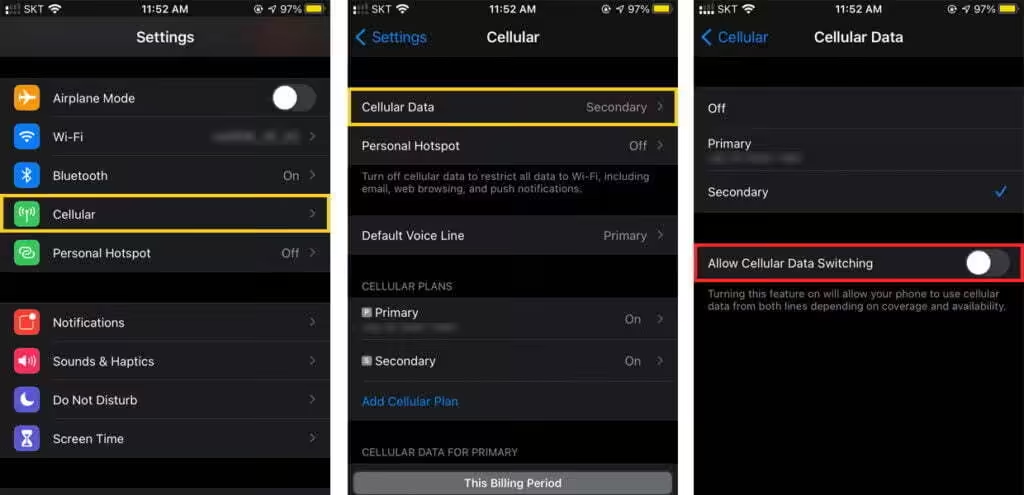
Recommended settings on iPhone
- Open [Settings] > [Cellular] or [Mobile Service].
- Tap [Cellular Data].
- Select your eSIM as the data line.
- Turn off [Allow Cellular Data Switching].
- Select your primary SIM and turn off [Data Roaming] if you do not want to use it abroad.
Recommended settings on Android
- Go to [Settings] > [Connections] > [SIM manager]
- Toggle off [Data switching]
Important note
Your home carrier may charge roaming fees if your primary SIM is used for calls, SMS, or data abroad. Please check your carrier’s roaming policy before travel and ask about subscribing to a “Blocked charged international roaming” service to prevent any accidental charges.
Still need help? Reach out to our team directly.

