ESIMJAPAN.com ESIMJAPAN.com
  • Japan eSIM Plans
    • 5G Unlimited Max Data
    • Unlimited Data
    • Fixed Data
    • Daily Data
  • Asia & Global Plans
    • Japan & Korea Fixed Data
    • Japan & China Fixed Data
    • Japan, Korea & Taiwan Unlimited Data
    • Japan, Korea & China Unlimited Data
    • East Asia Unlimited Data
    • Asia Fixed Data & Calls
    • Asia Unlimited Data
    • Global Unlimited Data
  • Connectivity Lab
    • Live Speed Status
    • 2026 Sakura Connectivity Report
    • Daily Report
    • Weekly Reports
  • eSIM Guide
    • Best eSIM for Japan Guide
    • eSIM Compatible Phones
    • eSIM Activation Guide
  • Support
    • FAQ
    • Contact
  • English
    • English
    • Deutsch
    • 简体中文
    • 繁體中文
  • USD
    USD
    EUR
0

A woman in a traditional kimono, holding a red umbrella, stands in front of the river at Sumida Park during spring, with Tokyo Skytree rising tall in the background
October 22, 2025 - Travel Tips

Tokyo in 7 Days: Ultimate Guide for Travelers

Dreaming of your next adventure? Japan is calling you! If you’re flying to Tokyo, this guide will transform your journey into a memorable experience. This…

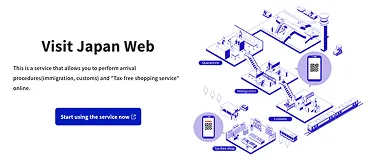
Visit Japan Web
October 22, 2025 - Travel Tips

How to Complete Your Visit Japan Web Registration?

The Japanese Government operates the Visit Japan Web as a digital solution for a quicker immigration procedure for travelers. The website is considered a necessity…

Don Quijote shopping mall entrance featuring a blue penguin mascot wearing a Christmas hat, welcoming visitors with holiday cheer in Japan
October 22, 2025 - Travel Tips

32 Best Japan Souvenirs and Gifts  | Ultimate Must-Buy Shopping Guide

Japan Souvenirs: Key Takeaways Essential Souvenir Categories & Budget Guide Category Price Range Top Picks Where to Buy Food & Snacks ¥400-3,000 Kit-Kats (regional/seasonal), Tokyo…

A clear, warm, and sunny day reveals cherry blossoms in full bloom around Chureito Pagoda, with Mount Fuji rising majestically against a vibrant blue sky in the distance
October 10, 2025 - Travel Tips

Complete Japan Travel Guide 2025

Japan enchants international travelers with its perfect blend of timeless traditions and cutting-edge modernity, but stepping into this captivating country for the first time can…

Posts pagination

← Prev 1 … 4 5
About ESIMJAPAN.com
About us
Affiliate Program
Jobs
Blog
Customer Support
FAQ
Refund policy
Contact us
Legal Information
Privacy Policy
Terms and Conditions
Explore with ESIMWORLD.net
ESIMAUSTRALIA.com ESIMCHINA.net
ESIMDUBAI.net EUROPEESIM.com
ESIMFRANCE.com HONGKONGESIM.com
ESIMINDONESIA.com ESIMITALY.com
ESIMKOREA.net ESIMMALAYSIA.net
ESIMPHILIPPINES.com ESIMSINGAPORE.net
ESIMTAIWAN.com ESIMTHAILAND.com
ESIMUK.net ESIMUSA.com
ESIMVIETNAM.net

© 2026 ESIMWORLD.net. All rights reserved.

Menu
  • Japan eSIM Plans
    • 5G Unlimited Max Data
    • Unlimited Data
    • Fixed Data
    • Daily Data
  • Asia & Global Plans
    • Japan & Korea Fixed Data
    • Japan & China Fixed Data
    • Japan, Korea & Taiwan Unlimited Data
    • Japan, Korea & China Unlimited Data
    • East Asia Unlimited Data
    • Asia Fixed Data & Calls
    • Asia Unlimited Data
    • Global Unlimited Data
  • Connectivity Lab
    • Live Speed Status
    • 2026 Sakura Connectivity Report
    • Daily Report
    • Weekly Reports
  • eSIM Guide
    • Best eSIM for Japan Guide
    • eSIM Compatible Phones
    • eSIM Activation Guide
  • Support
    • FAQ
    • Contact
  • English
    • English
    • Deutsch
    • 简体中文
    • 繁體中文
  • USD
    USD
    EUR
Shopping Bag

To activate an eSIM,
your device must be both

eSIM-compatible

Check the list below to see if your device supports eSIM.
If your device is not listed, please contact us.

Check the list below to see if your device supports eSIM. If your device is not listed, please contact us.

Apple

✓ Compatible device

iPhone Air
iPhone 17, 17 Pro, 17 Pro Max
iPhone 16, 16 Plus, 16 Pro, 16 Pro Max
iPhone 15, 15 Plus, 15 Pro, 15 Pro Max
iPhone 14, 14 Plus, 14 Pro, 14 Pro Max
iPhone SE3 (2022)
iPhone 13, 13 Pro, 13 Pro Max, 13 Mini
iPhone 12, 12 Pro, 12 Pro Max, 12 Mini
iPhone 11, 11 Pro, 11 Pro Max
iPhone SE2 (2020)
iPhone XR, iPhone XS, XS Max
(Recommended iOS version: iOS 13.3 or later)

! Incompatible Device

iPhone purchased from mainland China
iPhone purchased from Hong Kong and Macao (except for iPhone 13 mini, iPhone 12 mini, iPhone SE 2020, and iPhone XS)

Samsung

✓ Compatible device

Galaxy S26 5G, S26 Ultra 5G, S26+ 5G
Galaxy S25 5G, S25 Ultra 5G, S25+ 5G
Galaxy S24 5G, S24 Ultra 5G, S24+ 5G, S24 FE
Galaxy S23 5G, S23 Ultra 5G, S23+ 5G
Galaxy S22 5G, S22 Ultra 5G, S22+ 5G
Galaxy S21 5G, S21 Ultra 5G, S21+ 5G
Galaxy S20, S20+, S20 Ultra 5G
Galaxy Note 20, Note 20 Ultra, Note 20 Ultra 5G
Galaxy Note 20+, Note 20 FE, Note 20 FE 5G
Galaxy Fold, Z Fold 2, Z Fold 3, Z Fold 4 5G, Z Fold 5, Z Fold 6, Z Fold 7
Galaxy Z Flip, Z Flip 3 5G, Z Flip 4 5G, Z Flip 5, Z Flip 6, Z Flip 7
Galaxy A23 5G, A35 5G, A54 5G, A55 5G

! Incompatible Device

All Samsung S20 FE/S21 FE models
S20/S21 and Galaxy Z Flip 5G from USA
Note 20 Ultra and Galaxy Z Fold 2 from USA and Hong Kong

Google

✓ Compatible device

Pixel 9, 9Pro, 9Pro XL
Pixel 8, 8Pro
Pixel 7, 7Pro
Pixel 6, 6a, 6Pro
Pixel 5, 5a
Pixel 4, 4a, 4XL
Pixel 3, 3XL
Pixel 3a, 3aXL

! Incompatible Device

Pixel 3 models manufactured from Australia, Taiwan, and Japan
Pixel 3 models bought from US or Canadian carriers other than Sprint and Google Fi
Pixel 3a models bought in South East Asia and with Verizon service

Carrier unlocked

Check the instructions below to see if your phone is unlocked.
If locked, your local carrier can assist with unlocking it.

Check the instructions below to see if your phone is unlocked. If locked, your local carrier can assist with unlocking it.

Apple

1. Go to [Settings] > [General] > [About] on your device.
2. Look for “Network Provider Lock – No SIM restrictions”:
◦ If you see this, your phone is unlocked.
◦ If not, your phone is locked.

Samsung

1. Go to [Settings] > [Connections] > [Mobile networks] on your device.
2. Select [Network operators]:
◦ If multiple networks appear, your phone is likely unlocked.
◦ If only one network appears or you cannot find the option to search networks, your phone is likely locked to the carrier.

Google

1. Go to [Settings] > [Network and Internet] > [Internet] on your device.
2. Select your SIM > [Automatically Select Network]:
◦ If multiple networks appear, your phone is likely unlocked.
◦ If only one network appears or you cannot find the option to search networks, your phone is likely locked to the carrier.

If you have any questions or concerns, please contact us at [email protected].

Contact us