

How can I disable the eSIM plan while it is in use?
Quick Answer
You can temporarily turn off the eSIM in your phone settings instead of deleting it. However, turning it off does not pause the plan’s validity period.
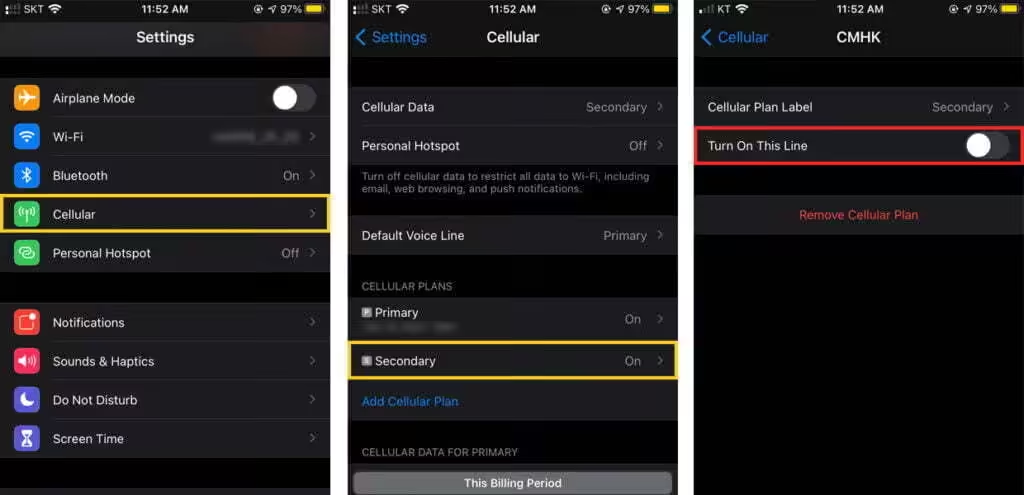
How to turn off eSIM on iPhone
- Open [Settings] > [Cellular] or [Mobile Service].
- Select the eSIM line.
- Turn off [Turn On This Line].
How to turn off eSIM on Samsung
- Open [Settings] > [Connections] > [SIM manager].
- Toggle off your eSIM under the eSIMs section.
How to turn off eSIM on Google
- Open [Settings] > [Network & Internet] > [SIMs]
- Select our eSIM
- Toggle off [Use eSIM]
Important note
Do not delete the eSIM unless you are completely finished using it. Most eSIMs cannot be reinstalled after deletion.
Still need help? Reach out to our team directly.

